Interfaces and Connections
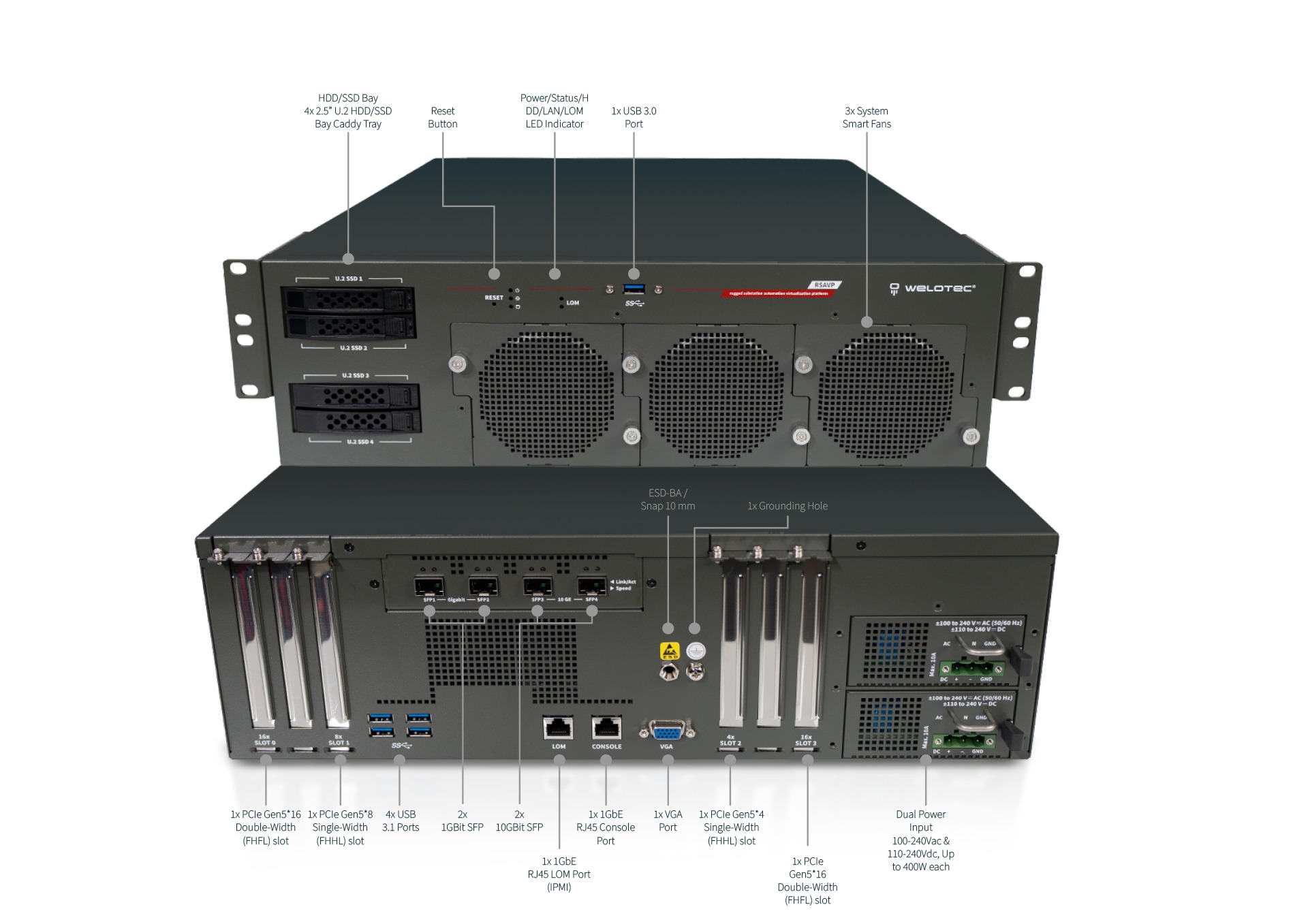
PSU Connection
The terminal block consists of three main connection points labeled as follows and to be connected depending on PSU type and power input source:
For DC Power Supply
“+” (Positive): Connect the positive voltage supply.
“-” (Negative): Connect the negative voltage supply.
“GND” (Ground): Provides a grounding point for safety and signal reference.
For AC Power Supply
“L” (Line): Connect the AC Power Line.
“N” (Neutral): Connect the to Neutral Line
“GND” (Ground): Connect to Protective Earth
LED Indicator Explanations
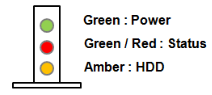
System Power / Status / Storage Activity
LED |
Color on Board |
LED Action |
Description |
|---|---|---|---|
POWER |
Green |
Steady |
System Power ON |
Off |
N/A |
Power OFF |
|
STATUS |
Green |
Steady |
Controlled by GPIO |
Red |
Steady |
Controlled by GPIO |
|
Off |
N/A |
Controlled by GPIO (Default) or Power OFF |
|
Storage |
Amber |
Blinking |
Blinking indicates HDD activity, Include SATA/NVME |
Off |
N/A |
No data access or No power on |
HDD Tray LED
LED |
Color |
LED Action |
Description |
|---|---|---|---|
POWER |
Green |
Steady |
HDD/SSD Power ON |
Off |
N/A |
Power OFF |
|
STATUS |
Yellow |
Blinking |
Blinking indicates HDD activity, Include SATA / NVME Storage |
Off |
N/A |
No data access or Power OFF |
1Gb RJ45 Definition:
Speed |
Amber (Link/Active) |
style=”color:orange”>Amber (Speed) |
|---|---|---|
10M |
Blinking / Data access |
OFF |
100M |
Blinking / Data access |
ON (Green) |
1G |
Blinking / Data access |
On (Amber) |
1.When cable is plug-in and network is linked. Both LED lights will be bright. The behavior is as defined. |
Without the Cable plug-in, the LED should be off
If LAN Driver controls the LED, the behavior will follow the driver
10Gb RJ45 Definition:
Speed |
Green (Link/Active) |
Green/Amber (Speed) |
|---|---|---|
100M |
Blinking / Data access |
OFF |
1/2.5/5G |
Blinking / Data access |
ON (Amber) |
10G |
Blinking / Data access |
ON (Green) |
When cable is plug-in and network is linked. Both LED lights will be bright. The behavior is as defined.
Without the Cable plug-in, the LED should be off
If LAN Driver controls the LED, the behavior will follow the driver
10Gb SFP28 Definition:
Speed |
Green (Link/Active) |
Green/Amber (Speed) |
|---|---|---|
10G |
Blinking / Data access |
ON (Green) |
When cable is plug-in and network is linked. Both LED lights will be bright. The behavior is as defined.
Without the Cable plug-in, the LED should be off
If LAN Driver controls the LED, the behavior will follow the driver